
I have to write this. While it's fresh in my mind. Before I start just taking it for granted and miss out on what I am feeling at this moment. This is a public post as I'd love as many people's perspective on it.
For those who don't know, I do a fair amount of competitive action shooting, primarily USPSA and IDPA. One of the things you do in that sport is make and look at videos of you shooting, to see where you need to improve. And of course, to post it to social media for fun. Like this, for example:
I have done a bit of this video stuff, but not a ton. The reason is that unlike the young bucks who apparently know how to edit video on their phones, it takes too much time and too much effort for me to do that on a regular basis. The clip above, where I have to take two videos, combine them, line them up and synchronize them... took hours. I did it as an exercise on learning to use the video editing software.
That's all background to explain the moment.
Artcraft and Adobe
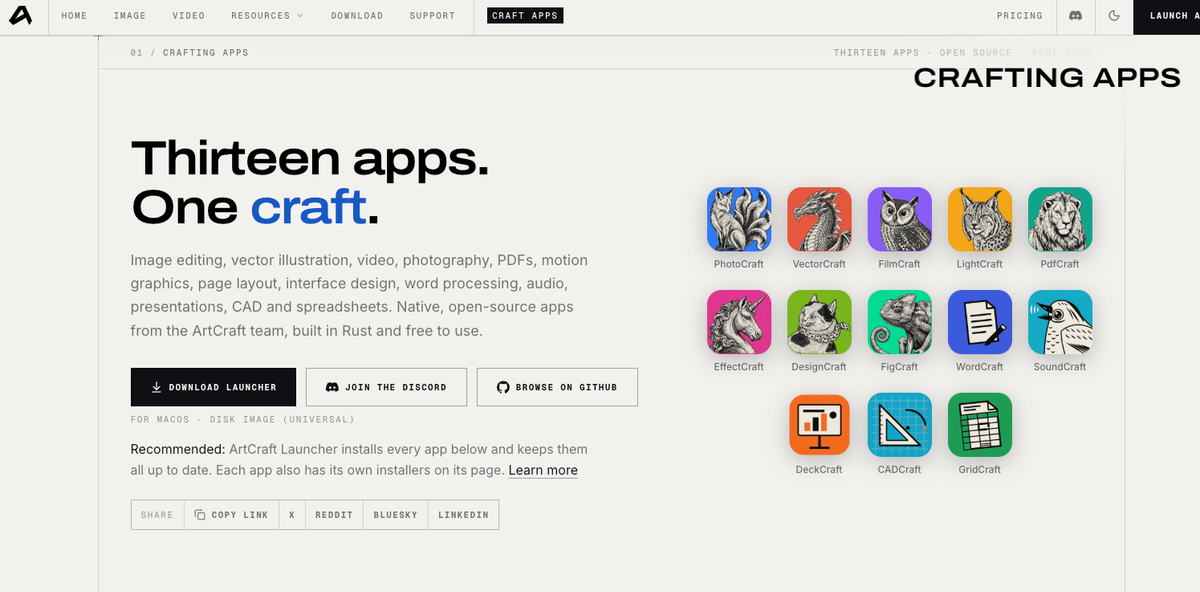
A few days ago, I learned about Artcraft. The header image is of that suite of software. The founder, Brandon Thomas, announced on Twitter:
I've vibe coded replacements to 7 of Adobe's apps in Rust. They're open source (links below) pic.twitter.com/1c2CqEDz6J
— Brandon Thomas (@echelon) October 3, 2026
Naturally, the tech world went a bit berserk. Everyone is expecting Adobe to sue for some kind of IP infringement. Adobe made over $23 billion in 2025 and has a current market cap of about $98 billion (though that's down over 30% YOY). They can't let Artcraft just challenge them like this.
But that's not my OMG moment, and I don't really want to delve into the details of whether vibe coding can replace traditional software. It obviously can. Nor is this about business models and so on. It's about something else.
AI Native
See, Artcraft and its suite of products are "AI native" by design. Makes sense for a suite of software that was vibe-coded to begin with.
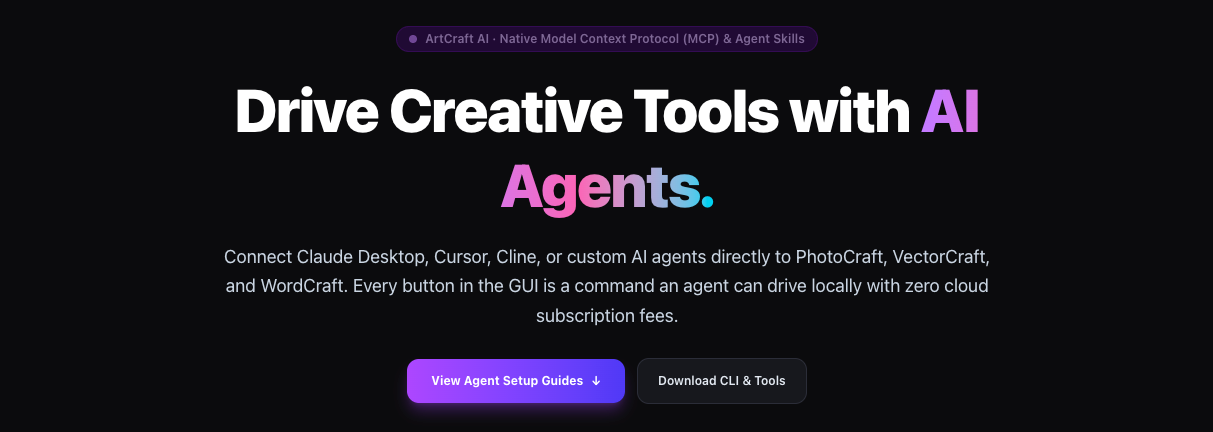
Every single one of these products can be AI-driven. Meaning, rather than me having to open up the application, then using it manually like I have to do with just about every other piece of software on my Mac, I can just connect my AI (Codex, Claude, etc.) directly to the application and have the AI do all the work.
Well, I just did that. Shooting videos seemed like a decent test of how well AI could "do the work" so I decided to have Codex create a new video similar to the one above. Now, the video above that I edited manually took me... at least an hour of really detailed fiddling with synchronizing audio waveforms and the like. (I am no audio/video editor of any kind, so maybe it would have been easier for a pro, but it was a major PITA for me.)
Here's how that went.
The AI-Driven Experience
I didn't even import the video clips into Filmcraft. I literally pointed my Codex to a big folder with a bunch of random clips in random order and told it to find and import the clips.
Without giving it any more detail, my AI found the clips, matched them into correct pairs, then synchronized them based on a common beep sound. I simply asked Codex to create a final output that would combine the two videos with the audio and timeline synced. A few minutes later, it gave me just that.
I asked Codex to compare the two audio tracks and use the better one. A couple of minutes of analysis, and boom – I get what I want.
I asked for transitions in between the clips. It gave me a list of transition effects, recommended one, and then put in the one I chose. Here's the literal answer from my AI:
I’ll use a 0.75-second dip to black between runs, plus a 1-second fade from black at the start and to black at the end. Both views will fade together, with matching audio fades.
I didn't love the changing landscape to portrait videos from my phone, so asked it to see if it can crop the landscape videos to portrait while remaining centered on me. Codex did that in a few minutes.
Here's the final product:
If you are a shooter, please feel free to laugh at my performance. It wasn't a great couple of days. I have already identified so many areas where I need improvement. But the point is not my crappy shooting, but the experience of putting this video together.
It took time, as the AI did what it needed to do. It was a fraction of how long it took me to make similar videos previously. The work itself? On my part? Literally talking to the AI like I might talk to a video editor over Zoom. No sophisticated prompts, no detailed directions, just "Hey, I don't like this... can you make it more like that?" Some lines of actions, a few minutes, and boom: "I did XYZ, and here it is."
The End of Software As We Know It
I realize that technologists are way ahead of me. I imagine they have already been working hard over the past several months to reconfigure their software products to work better with AI. I know everyone is integrating AI into their products one way or another.
But we have to talk about this.
Integrated AI
Most of the current efforts, at least in real estate proptech, is to integrate AI into the products themselves. For example, Skyslope:
For brokers, the upside of AI built into transaction management is simple: you don’t have to go out and evaluate a dozen AI tools to build out your own workflow shortcuts and apps. Today’s real estate transaction management software is beginning to integrate AI directly into the systems you already use.
At SkySlope, our approach is to build AI features that create real, everyday impact for agents and brokers. And we’re continuously evolving what that looks like. Here’s how SkySlope is redefining AI in real estate for 2026: [All emphasis in original]
This is one approach, and the one I see most commonly in real estate software. AI is integrated into the product directly, and helps with efficiency and workflow. But that AI is Skyslope's selection. We don't know what that model is, its capabilities, and it is unclear (because I am not a customer or user) how much flexibility there is for the user.
Skyslope's goal is to make it easy to use and automate as much as possible inside its platform:
SkySlope is built around that philosophy. By embedding AI directly into transaction management, we’re helping brokers and agents work faster and stay compliant without changing how they already operate.
That might work for today. I can't imagine it working in the somewhat near future.
External AI Access
The next level up is allowing external AI access into the system for fairly limited use cases. (And to be fair, Skyslope does offer API access but that appears to cost money and limited to document replication.) An example might be HouseCanary:
HouseCanary's Analytics and Portfolio Monitoring APIs are now available as a Model Context Protocol (MCP) server. AI agents — Claude, ChatGPT, custom internal copilots — can call 149 HouseCanary endpoints directly: property valuations, 36-month forecasts, comps, rental estimates, hazard data, market pulse, and full portfolio monitoring.
...
Which AI models can use this?
Anything that speaks MCP. That includes Claude (Desktop, Code, API), Cursor, Cline, Continue, ChatGPT desktop with MCP support, and any custom agent built on the official Anthropic, OpenAI, or Google MCP client libraries.
But, the MCP server is read-only. You can have your Claude get data out of HouseCanary to do whatever you need to do like property valuations and such. It is a step up from the integrated AI since you are no longer limited to whatever the platform provides. And presumably, you can talk to your own AI with instructions and such.
While this is a step-up and a likely direction that most companies are looking at, what I just experienced shows us the actual future.
External AI Control
Artcraft showed me what real AI integration actually looks like. It isn't just a MCP server that reads data out of a system. It's a system that allows external AI to control the software itself. Not just read-only, but read-write-modify and whatever else your software is supposed to do.
I don't know that you want to eliminate human UI. I like having Filmcraft open on my desktop and looking at what's going on, making small tweaks manually if I need to. But it does mean that the primary user interface is not human eyes and hands, but AI.
It is quite difficult to wrap my mind around what that means. But I think I can probably get there.
Any software that expects some human user to interact with it is going to need a robust MCP server with CLI (command line interface) and whatever else to allow an agentic AI to control every aspect of it. Artcraft is fully usable and controllable, with every feature, every button on the human UI, open to agentic AI using them. And those are desktop applications, which are arguably more complex than cloud-based SaaS systems.
Redefining Simplicity and Ease of Use
I think this is the end of software as we know it. Because for all of my adult working life (and I have done product management along the way), the best practices and principles of design have been to make it simple, to make it easier to use. Simplicity is really, really difficult to achieve actually.
Any video editor out there with all of the fine-grained controls that professionals need is extremely difficult to use. There are multiple books on how to use Adobe Premiere, for example. There are classes you can (and probably should) take if you need to use Adobe Premiere. Some colleges offer classes on it. You can say the same thing about all kinds of professional tools like Photoshop or AutoCAD or whatever.
As a result, there are watered down versions of these powerful tools that are easier to use for those who don't quite need the full-blown version with all of its power. Some go all the way to consumer use with limited options, but far easier to use.
I feel like all of that goes out the window now. There is nothing easier than telling your AI what you want, and having that AI control the software to deliver results. It is now possible to deliver full power, full options, full complexity... but make it as easy to use as talking to your AI assistant.
-rsh